
01◌
Choose your check
Read QR content, or enter what each code should contain for an exact comparison.
Catch incorrect, missing, or extra QR codes before you print. Check PDF and image artwork, compare the actual QR content with what you expected, and see exactly what needs attention.
For designers, print shops, packaging teams and anyone sending QR artwork to production.
Check the actual contentNot just whether a QR scans.
Work through more artworkPro checks up to 100 files per batch.
Keep artwork privateQR processing happens locally.
Built for real jobs, without a complicated setup or a long checklist.
Read QR content, or enter what each code should contain for an exact comparison.
Select a PDF or image. Pro also supports batch jobs and expected-content CSV files.
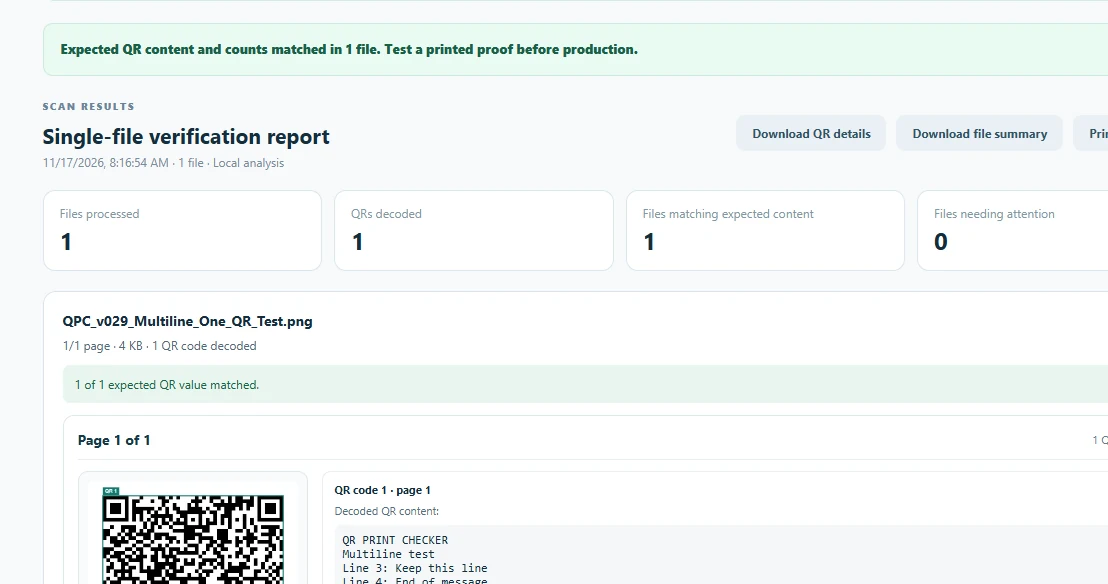
See the decoded content, match results, warnings, and where a mismatch appeared.
A QR code can scan successfully and still point to an old link, contain a typo, or hold the wrong text. QR Print Checker compares the content against your own expected values and counts.
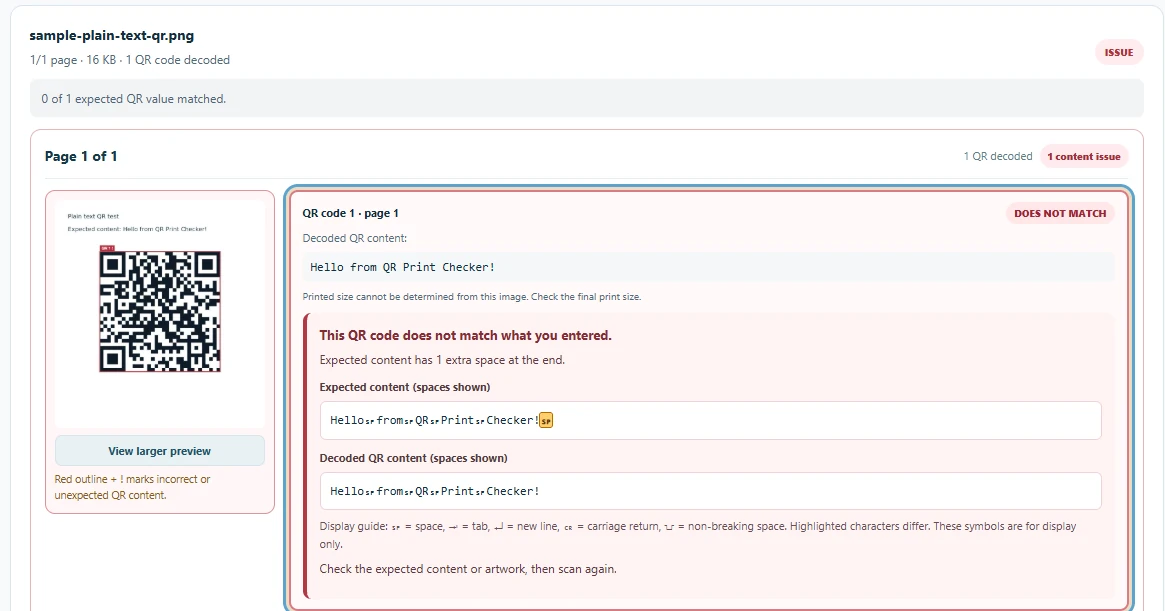
Detected: One extra space at the end of the expected content. Small mistakes, clearly explained.
Review QR codes in the artwork files you're preparing to print.
Verify ordinary text, links, and multiple-line content without splitting up one QR value.
Compare expectations across up to 100 selected artwork files per batch.
Use Pro's CSV imports and downloadable file-by-file results to document your checks.
Print-readiness guidance is an estimate, not a physical print certification. Always test a printed proof before production.
No recurring charges, scan credits, or complicated plans.
Everything you need to check an individual piece of artwork.
Spend less time checking files one by one—and catch mistakes before production.
Processing safeguards: 50 MiB per file; 300 MiB combined per batch; PDFs up to 120 pages each and 300 processed PDF pages per batch. Limits on QR detection also apply. Unchecked pages are reported as incomplete. See full limits.
No surprises before you install or purchase.
Need help? Contact support ↗Yes. Free lets you scan and verify one PDF or image file at a time, as often as you need. Pro unlocks batch checking, CSV imports and report exports.
Yes. $12.99 once gives you permanent access to Pro v1.x, including updates within v1.x. Future major versions may be sold separately. There are no monthly fees or scan credits.
No. QR artwork is processed on your own computer inside the extension. Purchases and license verification use Polar; those services handle purchase and license information, not your artwork.
No. The extension verifies what it can decode from your digital artwork and highlights potential concerns. Printing material, size, ink, lighting, damage and other conditions can affect the physical result. Always test a printed proof.
The file count is up to 100, but additional limits apply: each file up to 50 MiB, 300 MiB total, up to 120 PDF pages per file, and 300 processed PDF pages per batch. Anything beyond the processed-page budget is marked incomplete rather than shown as verified.
After purchasing, you receive access to a Pro license key from Polar. Enter that key in the extension's activation screen. Initial activation needs an internet connection, while normal QR checks run locally.
Clear results. Private artwork. A free plan to get started.